ラベル Network の投稿を表示しています。 すべての投稿を表示

2015年10月18日日曜日

Getting Prepaid SIM Card at Arrival Terminal of Abu Dhabi International Airport

(This is the information as of October 17th, 2015)

Prepaid SIM card was available from a sales person in WHSmith.  There is not an independent shop or counter for getting SIM card.  In the arrival terminal, WHSmith is located in the left-hand side of the arrival gate after the custom clearance.

Find the "etisalat" sales person who deals with the SIM card.  If you can not see him/her, you can simply talk to a shop staff to ask for SIM card, and the shop staff will help you to catch the sales person.

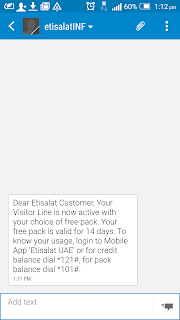
SIM card available for a visitor is called as Visitor SIM card.  There are some choices according to the combination of Voice, SMS and Data (called as "surfing").  My choice was the combination of 30 mins Local and International Call, SMS (numbers forgotten) and 500MB Data for 14 days, that costed 100 AED.  To get the SIM card, the sales person will request to show passport and register your fingerprint.  The activation is done then and there.  The prepaid SIM card supports multiple sizes, so there is no need of SIM adapter.


There was no need of APN setting.  The SIM card worked for me without doing anything after inserting it.  The performance was quite decent: 30Mbps download and 4Mbps upload.


Happy mobile Internet for you in Abu Dhabi.

2015年1月19日月曜日

Apache2 not starting

When trying to configure Virtual Hosts on Ubuntu 14.04.1, Apache2 did not start and got the error like following.

# service apache2 start
* Starting web server apache2
* (98)Address already in use: AH00072: make_sock: could not bind to address [::]:80
* The apache2 instance did not start within 20 seconds. Please read the log files to discover problems

Most blogs advise "Find the process which is using TCP Port 80.", but such process it not running.  Mmm....

root@ubuntu:/home/kotaro# netstat -ap
Active Internet connections (servers and established)
Proto Recv-Q Send-Q Local Address           Foreign Address         State       PID/Program name
tcp        0      0 localhost:mysql         *:*                     LISTEN      1159/mysqld    
tcp        0      0 *:ssh                   *:*                     LISTEN      1057/sshd      
tcp        0      0 172.16.45.169:ssh       172.16.45.1:49474       ESTABLISHED 1808/sshd: kotaro [
tcp6       0      0 [::]:ssh                [::]:*                  LISTEN      1057/sshd      
udp        0      0 *:bootpc                *:*                                 901/dhclient   
udp        0      0 *:11004                 *:*                                 901/dhclient   
udp6       0      0 [::]:9859               [::]:*                              901/dhclient   

I got the problem in "/etc/apache2/sites-enabled/000-default.conf".

Listen 80

        ServerName www.abc.com
        ServerAdmin webmaster@abc.com
        DocumentRoot /var/www/html/abc

        ErrorLog ${APACHE_LOG_DIR}/error.log
        CustomLog ${APACHE_LOG_DIR}/access.log combined

The line of "Listen 80" was not necessary.  It looks Apache2 tried to use TCP Port 80 twice (default behavior and another one caused by my configuration), and naturally failed in the second attempt.  I can understand I could not find any process using TCP Port 80 after apache2 gives up to start....

I was so careless because I simply followed the note in Apache 2.4 documentation without thinking anything.  It was an easy mistake which I stuck in for 1 hour.....
Note
The use of does not affect what addresses Apache httpd listens on. You may need to ensure that Apache httpd is listening on the correct addresses using Listen.
After removing "Listen 80" then, it worked....

2012年12月28日金曜日

Buffalo WLI-UC-AG300N on Ubuntu 12.04.1 LTS

TIPs for configuring Wi-Fi USB adapter "Buffalo WLI-UC-AG300N" on Ubuntu 12.04.1 LTS.  Note that we manually do it without using NetworkManager.

WLI-UC-AG300N uses Ralink "rt28xx" chip [1].  After inserting the adapter then rt2800usb driver is loaded.  According to [2] it seems that we don't blacklist the driver.

$ lsusb |grep BUFFALO
Bus 002 Device 005: ID 0411:012e BUFFALO INC. (formerly MelCo., Inc.) WLI-UC-AG300N Wireless LAN Adapter


$ lsmod |grep rt28
rt2800usb              22773  0
rt2800lib              58967  1 rt2800usb
crc_ccitt              12707  1 rt2800lib
rt2x00usb              20808  1 rt2800usb
rt2x00lib              55326  3 rt2800usb,rt2800lib,rt2x00usb
mac80211              506862  3 rt2800lib,rt2x00usb,rt2x00lib


Expecting that the adapter will be configured as wlan0, add the following lines in /etc/network/interfaces.

auto wlan0
iface wlan0 inet dhcp 
wpa-conf /etc/wpa_supplicant/wli-uc-ag300n.conf

Now generate the file "wli-uc-ag300n.conf", which was referred in the previous step, using the following command.

$ wpa_passphrase [MY_SSID] [MY_PASSWORD] > wli-uc-ag-300n.conf

The conf file will contain the following lines like:

network={
        ssid="MY_SSID"
        #psk="MY_PASSWORD"

        psk=ENCRYPTED_PASSWORD
}

To use WPA2 and WPA-PSK for encryption protocol and key management respectively, add 2 lines to specify them in the conf file and put in /etc/wpa_supplicant.


network={
        ssid="MY_SSID"
        #psk="MY_PASSWORD"
        psk=ENCRYPTED_PASSWORD
        proto=WPA2
        key_mgmt=WPA-PSK
}

Now configure the Wi-Fi adapter and the PC is connected to the wireless network.  The IPv4 address is also obtained using DHCP.

# service networking restart

The iperf result between 2 Wi-Fi nodes connecting to the same AP is as following.  This is not a very good result but acceptable somehow.  The signal quality is not very good, so it reasonable.
 

$ iperf -c 192.168.0.6 -i 1
------------------------------------------------------------
Client connecting to 192.168.0.6, TCP port 5001
TCP window size: 23.5 KByte (default)
------------------------------------------------------------
[  3] local 192.168.0.9 port 43217 connected with 192.168.0.6 port 5001
[ ID] Interval       Transfer     Bandwidth
[  3]  0.0- 1.0 sec  2.00 MBytes  16.8 Mbits/sec
[  3]  1.0- 2.0 sec  2.25 MBytes  18.9 Mbits/sec
[  3]  2.0- 3.0 sec  2.50 MBytes  21.0 Mbits/sec
[  3]  3.0- 4.0 sec  2.38 MBytes  19.9 Mbits/sec
[  3]  4.0- 5.0 sec  2.12 MBytes  17.8 Mbits/sec
[  3]  5.0- 6.0 sec  2.50 MBytes  21.0 Mbits/sec
[  3]  6.0- 7.0 sec  1.88 MBytes  15.7 Mbits/sec
[  3]  7.0- 8.0 sec  2.62 MBytes  22.0 Mbits/sec
[  3]  8.0- 9.0 sec  2.75 MBytes  23.1 Mbits/sec
[  3]  9.0-10.0 sec  2.00 MBytes  16.8 Mbits/sec
[  3]  0.0-10.1 sec  23.1 MBytes  19.2 Mbits/sec


$ iwconfig wlan0
wlan0     IEEE 802.11abgn  ESSID:"MY_SSID" 
          Mode:Managed  Frequency:2.442 GHz  Access Point: 00:1B:8B:0A:FA:82  
          Bit Rate=180 Mb/s   Tx-Power=20 dBm  
          Retry  long limit:7   RTS thr:off   Fragment thr:off
          Power Management:on
          Link Quality=38/70  Signal level=-72 dBm 
          Rx invalid nwid:0  Rx invalid crypt:0  Rx invalid frag:0
          Tx excessive retries:77  Invalid misc:216   Missed beacon:0


By the way, who else uses Buffalo WLI-UC-AG300N?:p

[1] http://www.wikidevi.com/wiki/Buffalo_WLI-UC-AG300N
[2] http://d.hatena.ne.jp/ohguma/20120222